Making Inventory Availability Clearer for Store Teams
A retail interface concept that helps associates check availability, coordinate try-ons, and request inventory while staying focused on the customer.
This concept draws on a design system I developed and implemented in a separate legacy enterprise environment. The organization and operational details are fictionalized to protect confidentiality. The Sierra Spur inventory workflows are a proposed exploration and were not implemented or formally tested with users.
The proposed inventory interface applies a shared design language to product availability and store coordination.
From Inventory Counts to Answers Customers Can Use
A customer asks for a particular boot in their size and width. The associate checks the system, sees an inventory count, and still needs to visit the stockroom to confirm whether the pair is available.
The missing information may be practical: Is another customer trying it on? Is it being held? Has someone already requested it? An inventory count alone cannot answer every question that matters on the sales floor.
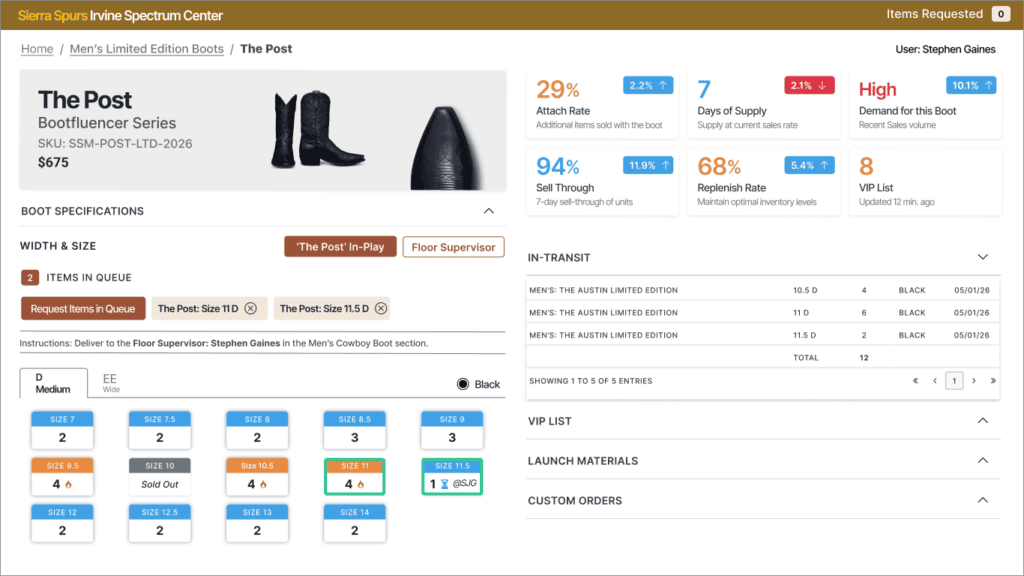
I explored an interface that brings product details, availability, and inventory coordination into a clearer workflow. A shared design system provides consistent controls and status treatments, while different views support associates, floor supervisors, and store managers.
Project Overview
Sierra Spur is a fictional Western footwear company with retail, manufacturing, and e-commerce operations supported by a customized Microsoft Dynamics GP environment.
My role covered the design-system approach, information architecture, interface design, and exploration of role-based workflows. The concept focuses on assisted selling and store-level coordination. Dedicated warehouse and receiving workflows are outside its scope.
The foundation draws on my earlier work standardizing a legacy .NET environment using Bootstrap 4.5 and a global CSS layer. These concept interfaces use Bootstrap 5 to explore how the same principles could support updated retail workflows.
The Challenge
Legacy inventory screens often show extensive system data without clearly explaining what is available for immediate customer use. Store teams must interpret totals, filter information, and verify stock through separate conversations or physical checks.
Different roles also need different information. An associate helping a customer needs a focused product view. A supervisor needs awareness of requests, holds, and merchandise being tried on. A manager needs a broader picture of inventory movement and demand.
The challenge was to support these responsibilities without making everyone navigate the same dense interface.
Skills Used
-
Design Systems
-
Role-Based Workflow Design
-
Information Architecture
-
Inventory Interface Design
-
Front-End Standardization
Making Availability Easier to Interpret
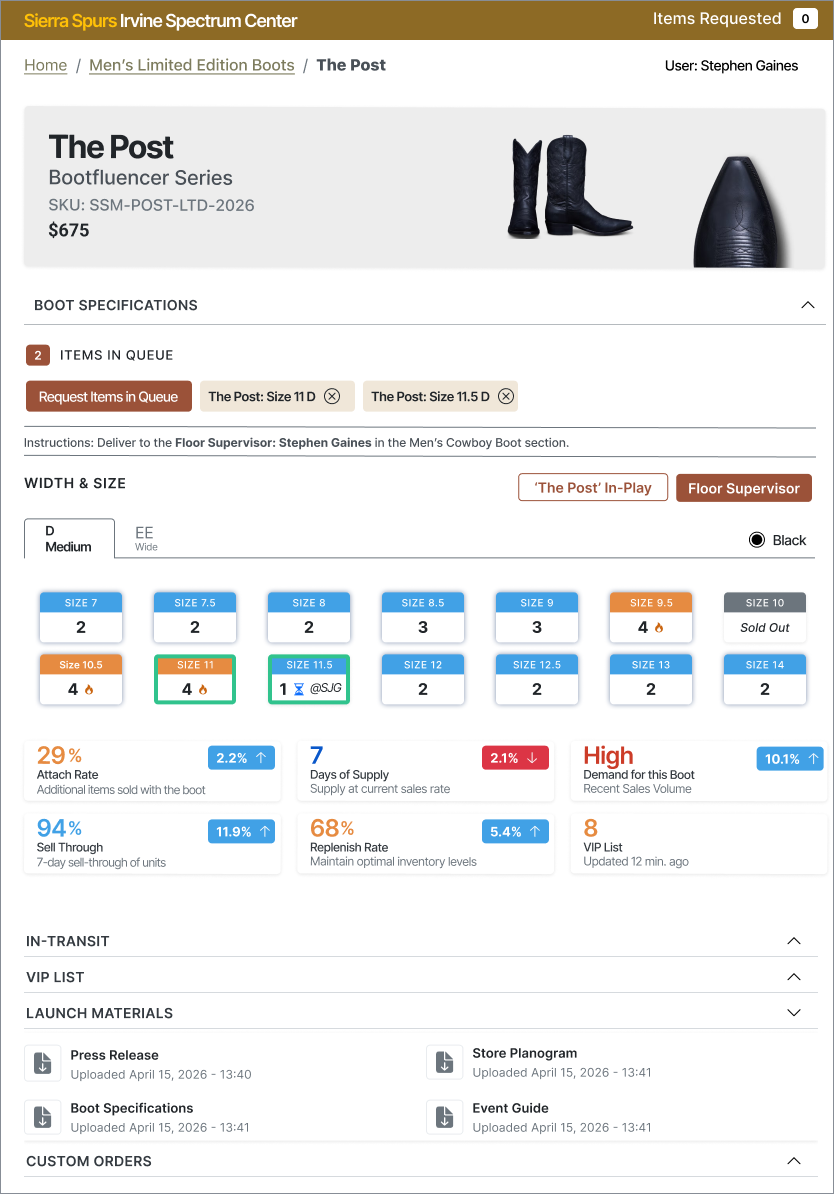
The original inventory screen emphasized broad system totals and cross-location data. The proposed experience brings the selected product and store-level availability into focus.
Size and width information, inventory states, and relevant actions are organized around the task at hand. The aim is to help teams distinguish recorded stock from merchandise that is ready for a customer.

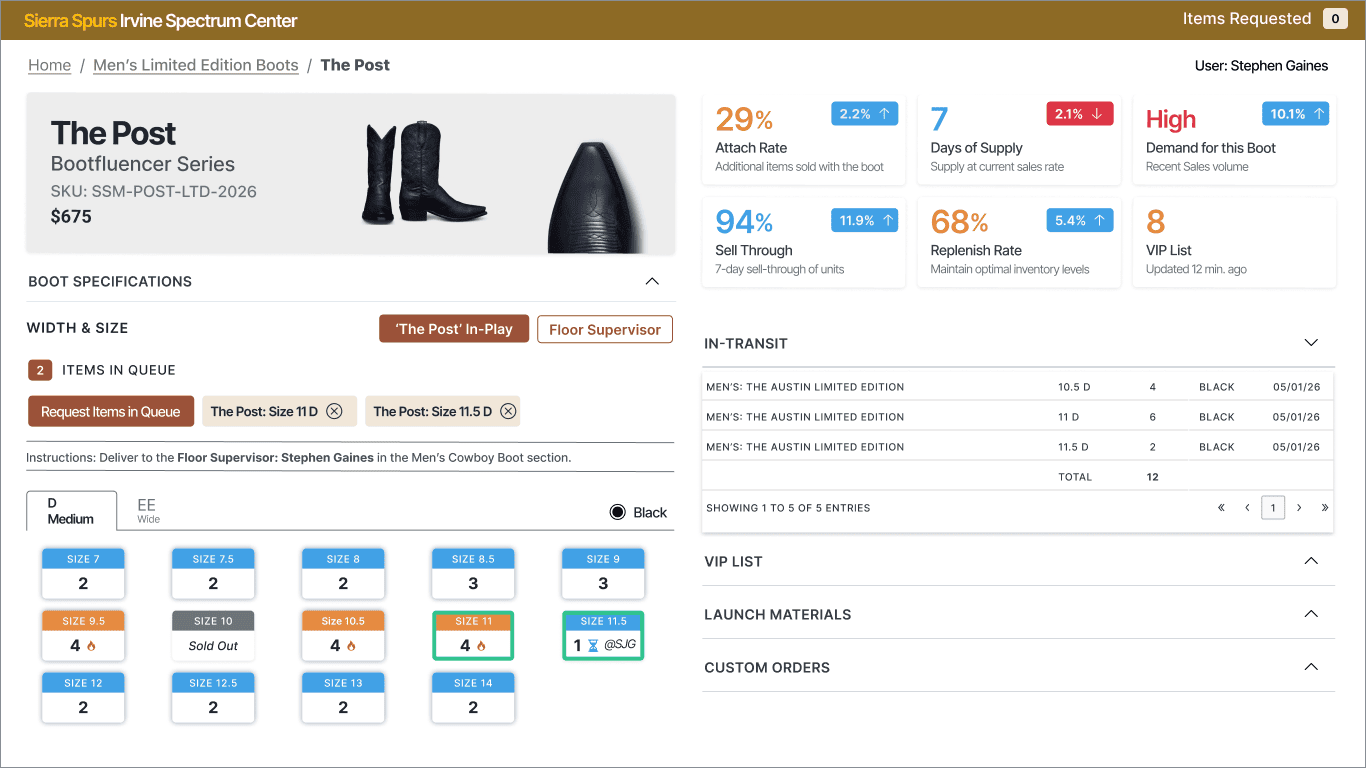
Compare the original inventory screen with the proposed store-focused experience, designed around clearer availability and coordination.
Additional Artifacts
A Shared Design System Across Different Roles
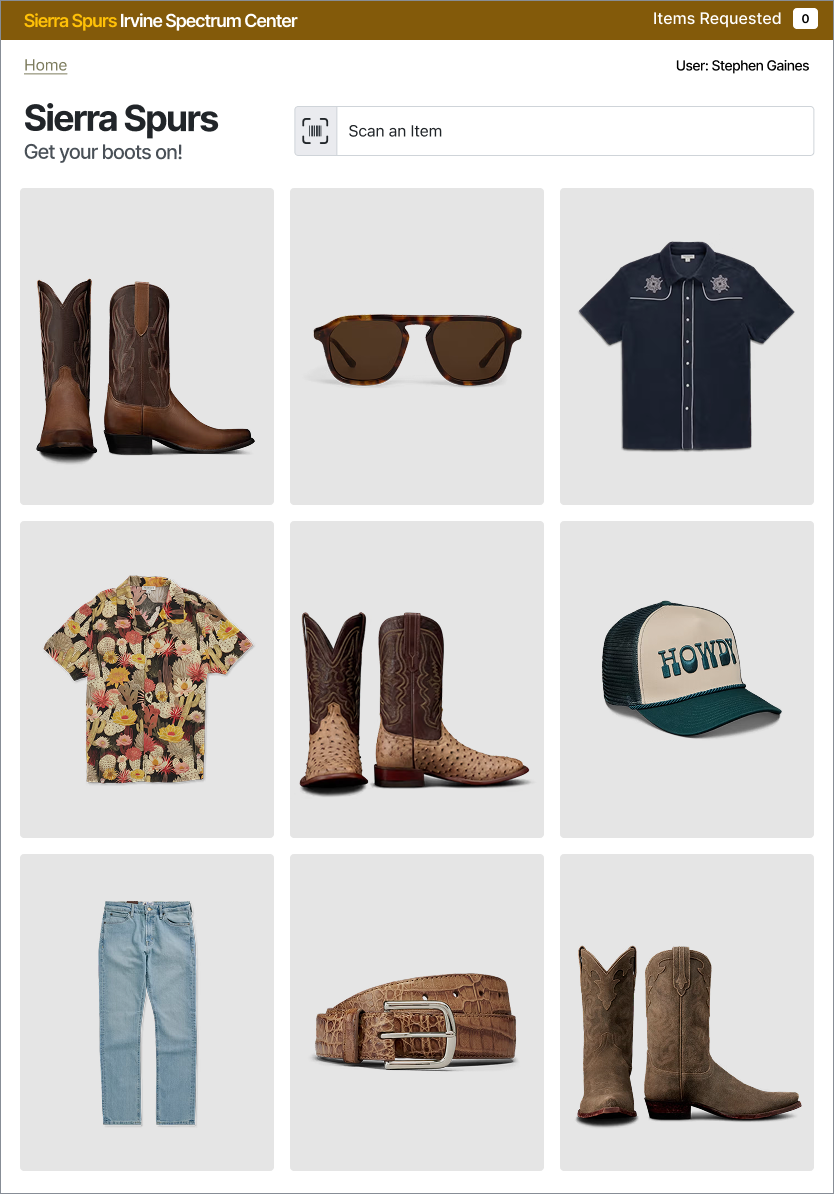
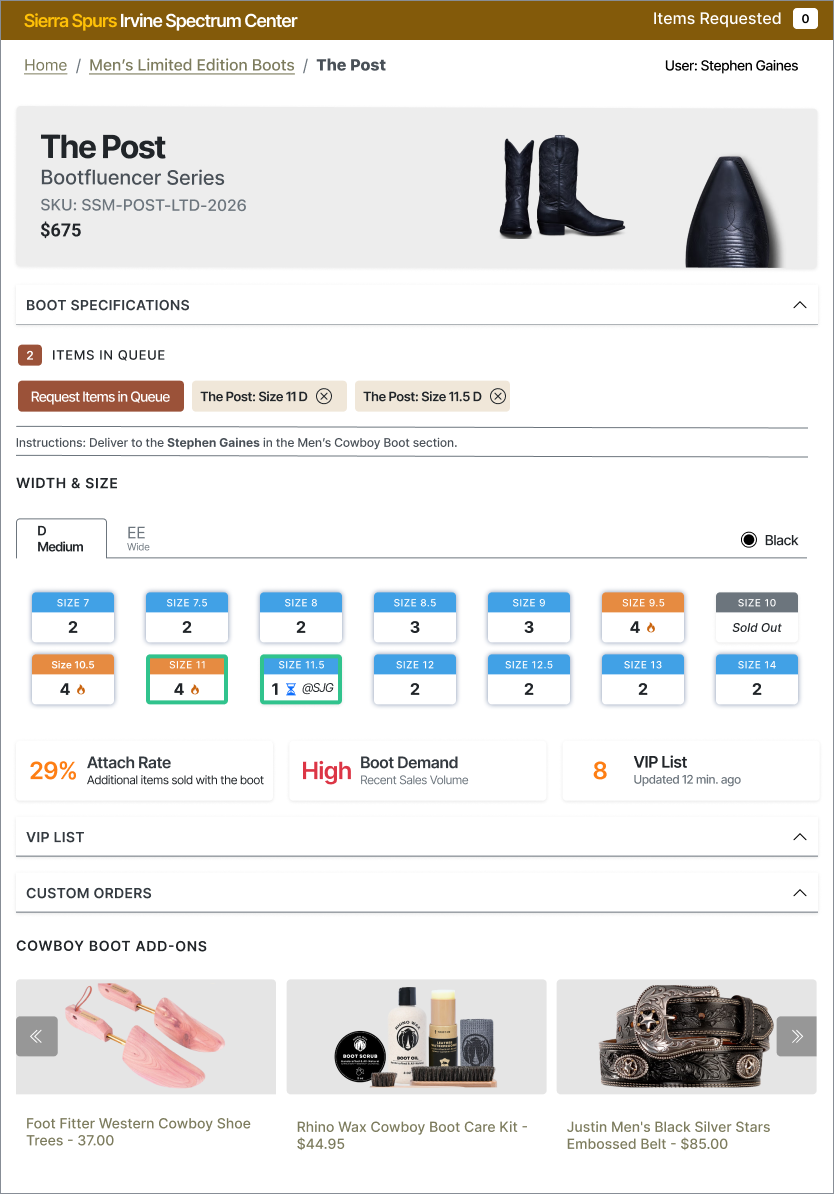
Consistent typography, spacing, navigation, buttons, and status treatments give each interface a familiar foundation. That consistency lets the information change by role without requiring people to learn an entirely different interaction model.
Associates receive a focused selling workflow, supervisors gain coordination details, and managers have a broader operational view. The underlying design-system approach also recognizes the reality of legacy environments: older server-rendered controls and newer components may need to coexist.
Recognizing Merchandise That Is Already in Use
A pair of boots can be recorded as inventory while another customer is trying it on. The concept introduces an “in-play” state to make that activity visible alongside requests and holds.
It also explores simple try-on outcomes, such as purchased, fit issue, or customer undecided. If recording these outcomes proves practical, they could help store teams understand recurring fit concerns and unmet sizing demand. This would need testing to ensure it supports selling rather than adding work during a busy interaction.
Intended Benefits
- Clearer answers about product availability during customer conversations.
- Better coordination between the sales floor and stockroom.
- Less repeated navigation and manual verification.
- More consistent interfaces across store roles.
- A foundation for improving additional workflows incrementally.
What Needs Validation
The next step would be observing associates, supervisors, and managers during real inventory tasks. Testing should confirm which information each role needs and whether requests, holds, and try-on tracking fit naturally into the workflow.
Technical review would need to establish reliable inventory updates, permissions, and coordination with stockroom processes. The interface would also need clear handling for stale data, simultaneous requests, and merchandise returned from a try-on.
What This Means for Your Website
Customers need more than information—they need to understand what that information means for their next step. A product listing may show stock, but leave delivery unclear. A service page may explain an offering, but bury eligibility requirements or booking instructions.
The same approach can improve your website: organize content around the visitor’s task, explain important states clearly, and use consistent patterns across pages. A shared design system also makes future updates easier to manage as your content and services grow.
Could Your Website Make Things Easier for Customers?
Let’s identify where unclear information or inconsistent layouts make the next step harder than it needs to be.
Let’s Talk About Your Website